Note
Go to the end to download the full example code.
6-7#
This example shows that yo 6-7.
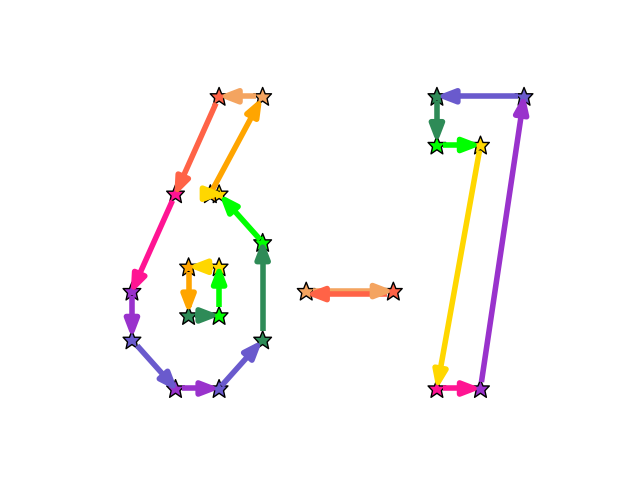
import igraph as ig
import matplotlib.pyplot as plt
import iplotx as ipx

g6 = ig.Graph.Ring(11, directed=True)
g0 = ig.Graph.Ring(4, directed=True)
gdash = ig.Graph(edges=[(0, 1), (1, 0)], directed=True)
g7 = ig.Graph.Ring(6, directed=True)
g67 = ig.disjoint_union([g6, g0, gdash, g7])

layout = [
    # 6
    [0, 0],
    [1, 0],
    [2, 1],
    [2, 3],
    [1, 4],
    [0.8, 4],
    [2, 6],
    [1, 6],
    [0, 4],
    [-1, 2],
    [-1, 1],
    # 0
    [0.3, 1.5],
    [1.0, 1.5],
    [1.0, 2.5],
    [0.3, 2.5],
    # dash
    [3, 2],
    [5, 2],
    # 7
    [6, 0],
    [7, 0],
    [8, 6],
    [6, 6],
    [6, 5],
    [7, 5],
]

with ipx.style.context("unicorn"):
    ipx.network(
        g67,
        layout,
        node_size=9,
        edge_linewidth=4,
    )
Total running time of the script: (0 minutes 0.048 seconds)