Note
Go to the end to download the full example code.
Vertex markers#
This example shows various kinds of vertex markers that can be used in iplotx.
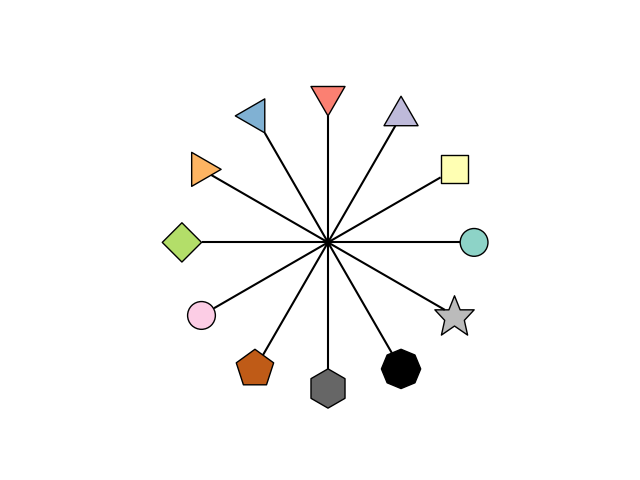
[<iplotx.network.NetworkArtist object at 0x7af390c27d90>]
import igraph as ig
import numpy as np
import iplotx as ipx

markers = ["o", "s", "^", "v", "<", ">", "d", "e", "p", "h", "8", "*"]
n = len(markers)
g = ig.Graph(
    edges=[(0, i + 1) for i in range(n)],
    directed=False,
)

# Create star layout
layout = {i + 1: (np.cos(2 * np.pi / n * i), np.sin(2 * np.pi / n * i)) for i in range(n)}
layout[0] = (0, 0)

# Colors
colors = [
    "k",
    "#8dd3c7",
    "#ffffb3",
    "#bebada",
    "#fb8072",
    "#80b1d3",
    "#fdb462",
    "#b3de69",
    "#fccde5",
    "#bf5b17",
    "#666666",
    "#000000",
    "#bbbbbb",
]
colors = {i: colors[i] for i in range(n + 1)}

ipx.network(
    g,
    layout=layout,
    vertex_marker=markers,
    vertex_size={i: 20 * bool(i) for i in range(n + 1)},
    vertex_facecolor=colors,
    vertex_edgecolor="black",
    aspect=1,
)
Total running time of the script: (0 minutes 0.036 seconds)