Note
Go to the end to download the full example code.
Edge tension#
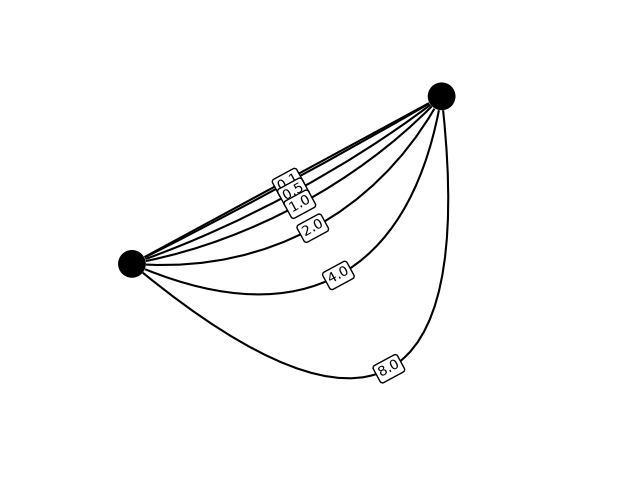
This example shows how to use edge tension to create curved edges with sharper turns.
import networkx as nx
import iplotx as ipx

tension = [0, 0.1, 0.5, 1.0, 2.0, 4.0, 8.0]
G = nx.MultiGraph()
G.add_edges_from([(0, 1)] * len(tension))

layout = {
    0: (0, 0),
    1: (1, 1),
}

ipx.network(
    G,
    layout=layout,
    edge_curved=True,
    edge_tension=tension,
    edge_labels=[str(x) if x > 0 else "" for x in tension],
    edge_label_bbox=dict(
        edgecolor="black",
        facecolor="white",
        boxstyle="round,pad=0.2",
    ),
    edge_label_rotate=False,
)
[<iplotx.network.NetworkArtist object at 0x7af390195810>]
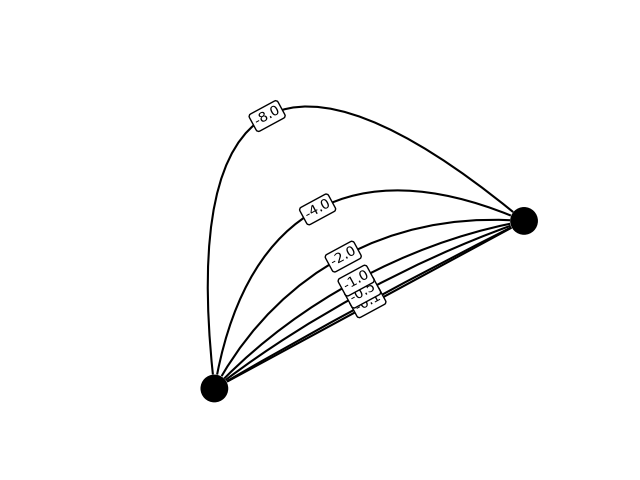
Negative tension can be used too:
ipx.network(
    G,
    layout=layout,
    edge_curved=True,
    edge_tension=[-x for x in tension],
    edge_labels=[str(-x) if x > 0 else "" for x in tension],
    edge_label_bbox=dict(
        edgecolor="black",
        facecolor="white",
        boxstyle="round,pad=0.2",
    ),
    edge_label_rotate=False,
)
[<iplotx.network.NetworkArtist object at 0x7af3ea4b3610>]
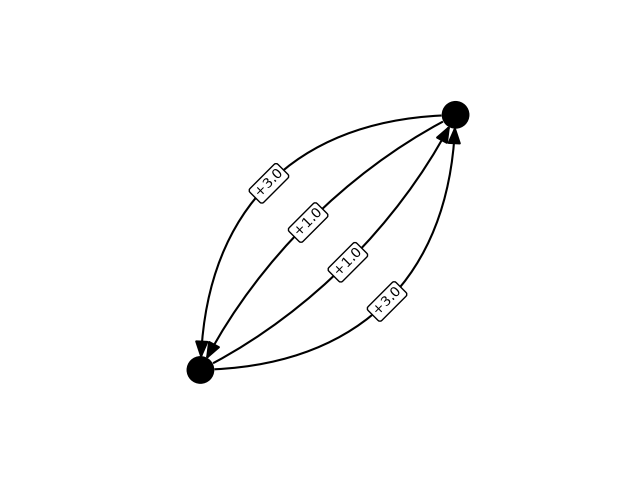
For directed graphs, positive tension is always to the right when facing out in the edge direction
tension = [1.0, 3.0]
Gd = nx.MultiDiGraph()
Gd.add_edges_from([(0, 1)] * len(tension))
Gd.add_edges_from([(1, 0)] * len(tension))


ipx.network(
    Gd,
    layout=layout,
    edge_curved=True,
    edge_tension=tension * 2,
    edge_labels=[f"+{x}" if x > 0 else "" for x in tension] * 2,
    edge_label_bbox=dict(
        edgecolor="black",
        facecolor="white",
        boxstyle="round,pad=0.2",
    ),
    edge_label_rotate=False,
    aspect=1,
)
[<iplotx.network.NetworkArtist object at 0x7af3906d4e10>]
Tip
For undirected graphs, the chirality (right/leftness) of the tension depends on whether the network library reorders the edge adjacent vertices (e.g. networkx does). Some trial and error on a specific plot should lead to the desired solution.
Total running time of the script: (0 minutes 0.130 seconds)