Note
Go to the end to download the full example code.
Curved waypoints#
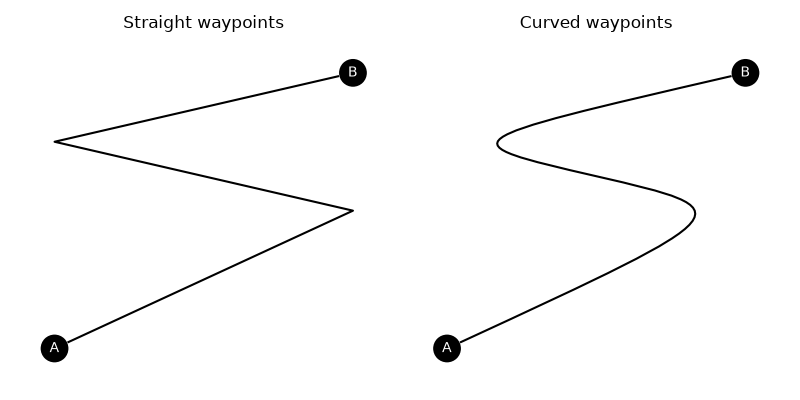
This example demonstrates the use of curved edge waypoints. For straight waypoints, the edge will pass through each waypoint. For curved waypoints, they are used as cubic Bezier points to interpolate smoothly between.
import matplotlib.pyplot as plt
import numpy as np
import iplotx as ipx

g = {
    "edges": [
        ("A", "B"),
    ],
}
layout = {
    "A": (0, 0),
    "B": (1, 2),
}

fig, axs = plt.subplots(1, 2, figsize=(8, 4))
for ax, curved in zip(axs, [False, True]):
    ipx.network(
        g,
        layout=layout,
        ax=ax,
        vertex_labels=True,
        edge_waypoints=[[[1, 1], [0, 1.5]]],
        edge_curved=curved,
    )
    if not curved:
        ax.set_title("Straight waypoints")
    else:
        ax.set_title("Curved waypoints")
fig.tight_layout()
Tip
The edge will actually pass through the midpoints between two consecutive waypoints.
Total running time of the script: (0 minutes 0.066 seconds)