Note
Go to the end to download the full example code.
Maximum Bipartite Matching by Maximum Flow#
This example from igraph presents how to visualise bipartite matching using maximum flow, with edge linewidth and vertex facecolor styling.
import igraph as ig
import iplotx as ipx

# We start by creating the bipartite directed graph.
g = ig.Graph(
    9,
    [(0, 4), (0, 5), (1, 4), (1, 6), (1, 7), (2, 5), (2, 7), (2, 8), (3, 6), (3, 7)],
    directed=True,
)

# We assign:
#  - nodes 0-3 to one side
#  - nodes 4-8 to the other side
g.vs[range(4)]["type"] = True
g.vs[range(4, 9)]["type"] = False

# Then we add a source (vertex 9) and a sink (vertex 10)
g.add_vertices(2)
g.add_edges([(9, 0), (9, 1), (9, 2), (9, 3)])  # connect source to one side
g.add_edges([(4, 10), (5, 10), (6, 10), (7, 10), (8, 10)])  # ... and sinks to the other

# Compute maximum flow
flow = g.maxflow(9, 10)

# To achieve a pleasant visual effect, we set the positions of source and sink
# manually:
layout = g.layout_bipartite()
layout[9] = (2, -1)
layout[10] = (2, 2)

ipx.network(
    g,
    layout=layout,
    vertex_labels=True,
    style={
        "vertex": {
            "size": 30,
            "facecolor": ["black" if i < 9 else "darkorange" for i in range(11)],
        },
        "edge": {
            "linewidth": [1.0 + flow.flow[i] for i in range(g.ecount())],
        },
    },
)
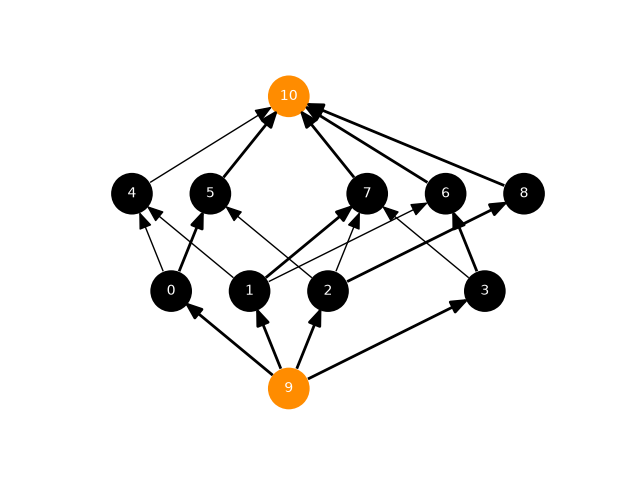
[<iplotx.network.NetworkArtist object at 0x7af390c26e90>]
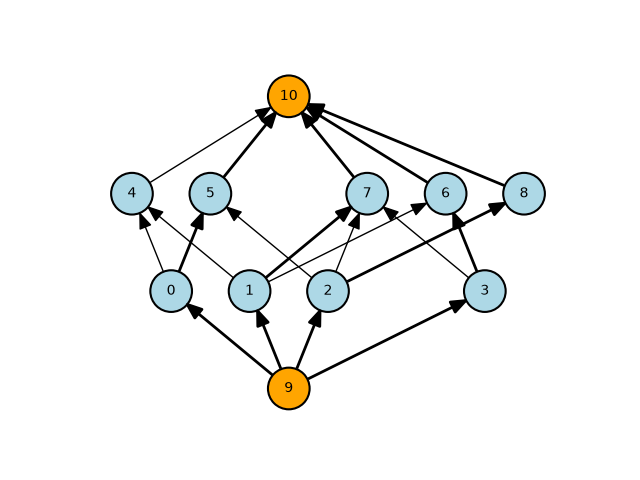
If you want to have dark labels on light background, you can set the vertex style accordingly, perhaps with pronounced vertex borders to increase constrast:
ipx.network(
    g,
    layout=layout,
    vertex_labels=True,
    style={
        "vertex": {
            "size": 30,
            "facecolor": ["lightblue" if i < 9 else "orange" for i in range(11)],
            "edgecolor": "black",
            "linewidth": 1.5,
            "label": {
                "color": "black",
            },
        },
        "edge": {
            "linewidth": [1.0 + flow.flow[i] for i in range(g.ecount())],
        },
    },
)  #
[<iplotx.network.NetworkArtist object at 0x7af38fdb6710>]
Total running time of the script: (0 minutes 0.114 seconds)