Note
Go to the end to download the full example code.
Mouse event handling#
This example shows how to interact with mouse events (e.g. hovering) in iplotx.
Warning
This example will run in a Python, IPython, or Jupyter session, however the interactive functionality is not visible on the HTML page. Download the code at the end of this page and run it in a local Python environment to see the results.
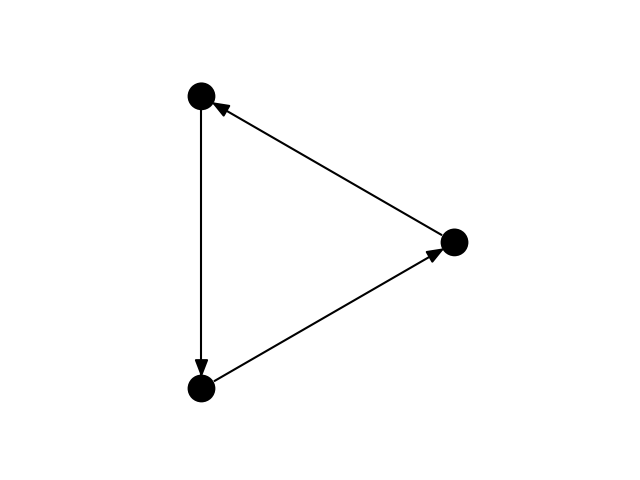
12
import matplotlib.pyplot as plt
import igraph as ig
import iplotx as ipx

g = ig.Graph.Ring(3, directed=True)

fig, ax = plt.subplots()
art = ipx.network(
    g,
    layout="circle",
    ax=ax,
    aspect=1,
)[0]
vertex_artist = art.get_vertices()

# Prepare an invisible annotation for hovering
annot = ax.annotate(
    "",
    xy=(0, 0),
    xytext=(20, 20),
    textcoords="offset points",
    bbox=dict(boxstyle="round", fc=(0, 0, 0, 0.2)),
    arrowprops=dict(arrowstyle="->"),
)
annot.set_visible(False)


def hover_callback(event):
    """React to mouse hovering over vertices."""
    if event.inaxes == ax:
        vc = art.get_vertices()
        cont, ind = vc.contains(event)
        # If mouse is over a vertex, show the bubble
        if cont:
            i = ind["ind"][0]
            annot.xy = vc.get_offsets()[i]
            annot.set_text(f"{i + 1}")
            annot.set_visible(True)
        # Otherwise, hide the bubble
        elif annot.get_visible():
            annot.set_visible(False)
        # If nothing changed, no need to redraw
        else:
            return

        # Redraw to show/hide the bubble
        fig.canvas.draw_idle()


fig.canvas.mpl_connect(
    "motion_notify_event",
    hover_callback,
)
Total running time of the script: (0 minutes 0.032 seconds)