Note
Go to the end to download the full example code.
Cogent3 tree#
This example shows how to use iplotx to plot trees from cogent3, the successor to pycogent.
from cogent3.phylo import nj
import numpy as np
import iplotx as ipx
import matplotlib.pyplot as plt

nleaves = 8
distance_dict = {}
for i in range(nleaves):
    for j in range(i):
        distance_dict[(str(i), str(j))] = np.random.rand()
tree = nj.nj(distance_dict)
ipx.plotting.tree(
    tree,
)
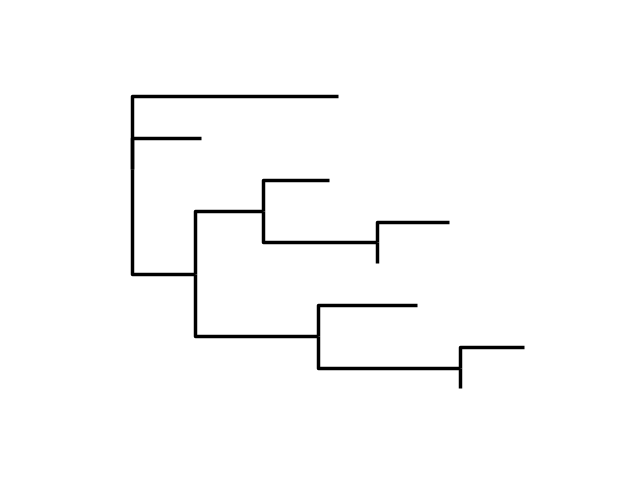
<iplotx.tree.TreeArtist object at 0x7dd1a5d66490>
To add labels to the leaves, you can use the vertex_labels argument as a dictionary. Moreover, the plot can be customised further using hmargin (horizontal label margin) and some matplotlib settings.
leaf_labels = {leaf: f"Species {i + 1}" for i, leaf in enumerate(tree.tips())}
fig, ax = plt.subplots(figsize=(5, 4))
ipx.plotting.tree(
    tree,
    ax=ax,
    vertex_labels=leaf_labels,
    vertex_label_hmargin=10,
)
ax.set_xlim(-0.2, 1.5)
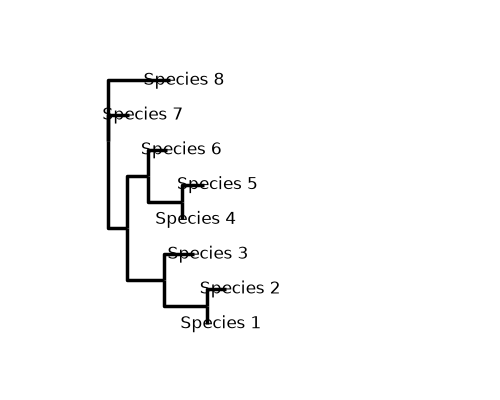
(-0.2, 1.5)
iplotx can compute a radial tree layout as well, and usual style modifications work for trees same as networks:
ipx.plotting.tree(
    tree,
    layout="radial",
    style=[
        "tree",
        {
            "edge": {
                "color": "deeppink",
                "linewidth": 4,
            },
        },
    ],
    aspect=1,
)

<iplotx.tree.TreeArtist object at 0x7dd1fb7460d0>
Total running time of the script: (0 minutes 0.114 seconds)